
Overview #
Quick Add Item is a feature that offers the easiest method for adding items to your inventory or database, as it requires filling in only the minimum required product fields. This works most similarly to quick add items from the cash register on the POS side.
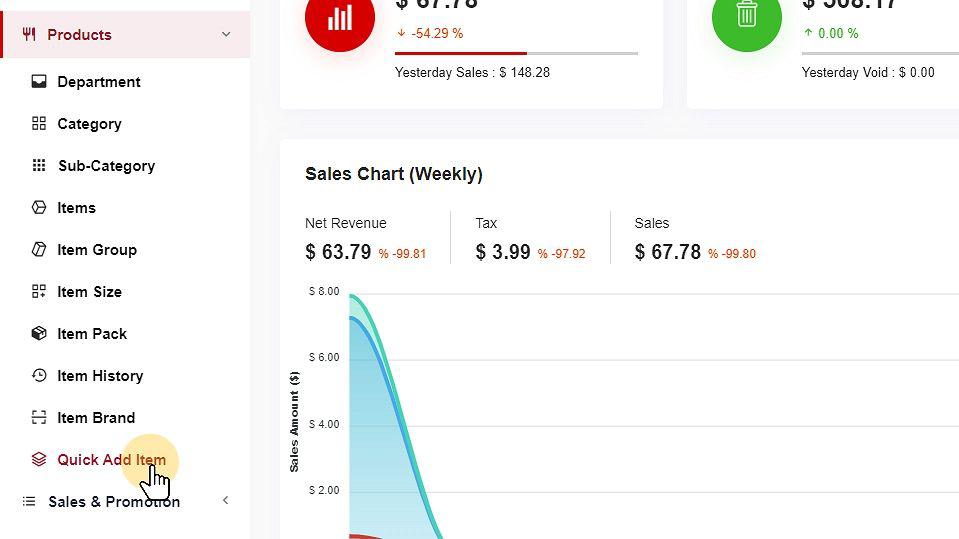
- First, click on the Products, which is located at the left side area of the page.
- Select the Quick Add Item.
Quick Add Item Details #
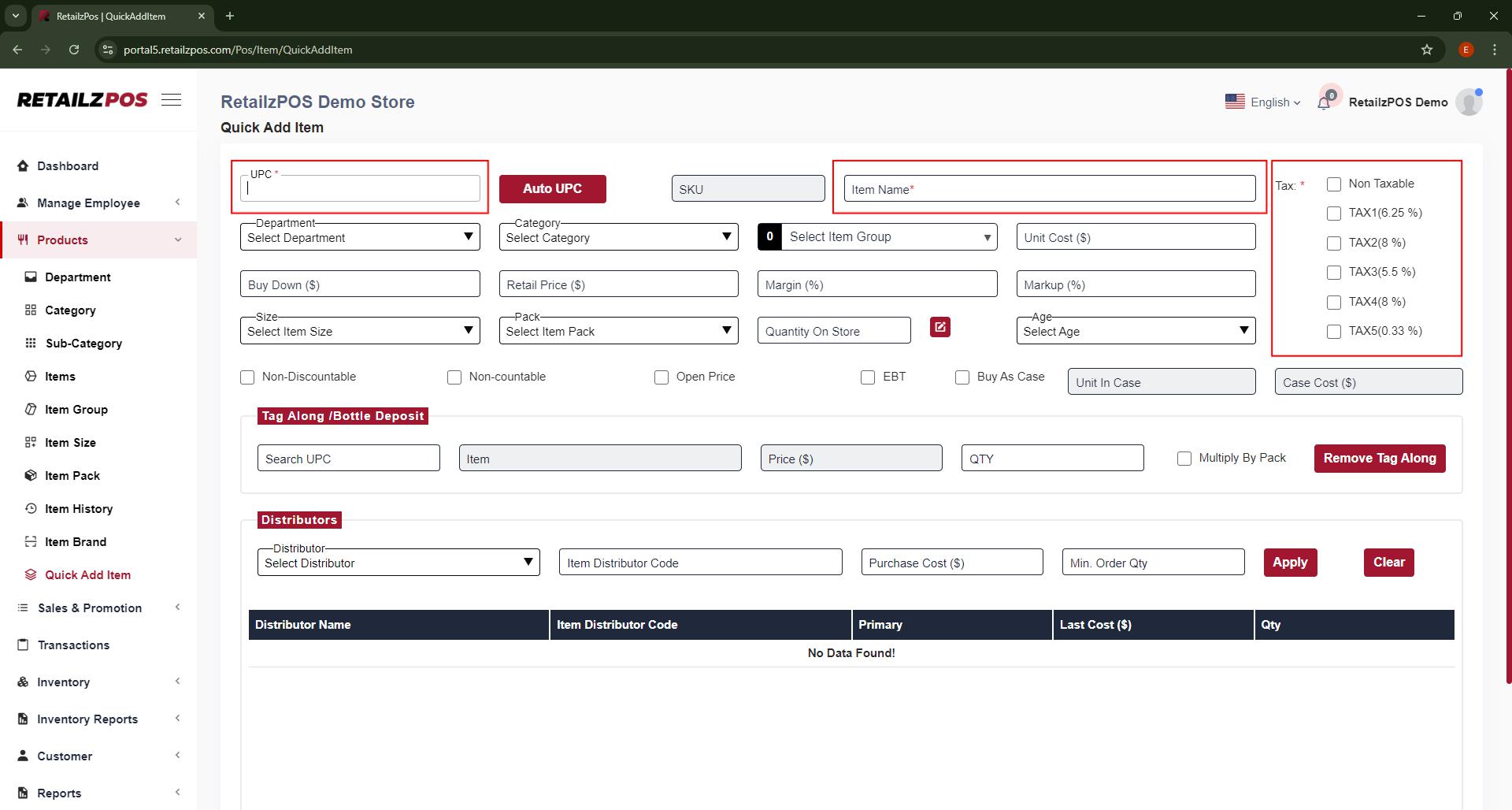
Input the information in the fields;
Mandatory Fields #
- UPC
- Item Name
- Tax (located at the right corner of the page)
Other Fields #
- Department / Category / Sub-category
- Item group (Drop down selection)
- Unit Cost
- Buy Down
- Retail Price
- Margin
- Mark up
- Size
- Pack
- Age Restriction
- Quantity in store (Quantity on hand)
- Tag along
- Distributors
Save Item and Reset #
Scroll down and hit save to save the changes, and hit reset to clear the data from the fields.